Loading…
Solutions
Solutions for the analytical work between raw data and reliable decisions.
DataLAB brings data management, transformation, SQL, machine learning, validation, pipelines, and governed AI execution into one desktop workspace for data and analytics teams.
DataLAB in useA common environment for high-value workflows
Where We Start
Two connected areas of analytical work
Each solution combines DataLAB Desktop tools around the work a team needs to complete—not around disconnected product features.
Advanced Analytics
Explore, transform, query, model, and validate operational data with visual tools, SQL, SnapQL, AutoML, and experiment tracking.
Core DataLAB tools
SQL + SnapQL WorkspaceTransformation StudioFeature EngineeringAutoMLModel EvaluationTime SeriesExperiments
Keep exploratory work, repeatable logic, and model outputs in the same workspace.
Related reading
Enterprise
Connect governed datasets, reusable pipelines, scheduled work, and approved AI clients across cross-functional analytical processes.
Core DataLAB tools
Dataset ManagerLake ManagerMapping HubPipeline ManagerTask SchedulerAI Client / MCP
Standardise repeatable work while keeping execution and outputs visible.
Demo videos
Related reading
DataLAB Desktop Tools
One desktop. The tools behind the whole workflow.
DataLAB keeps preparation, analysis, validation, modeling, and automation close together so teams spend less time moving data and reconstructing context between tools.
Dataset and Lake Manager
Register files, folders, spreadsheets, database extracts, and lake-backed datasets with schema, metadata, context, relationships, and lineage.
Applications
Start with organised, reusable data instead of loose copies and undocumented extracts.
SQL and SnapQL Workspace
Explore, join, aggregate, validate, and export data with results, fields, and source context visible beside the query.
Applications
Investigate quickly without losing the data context behind the result.
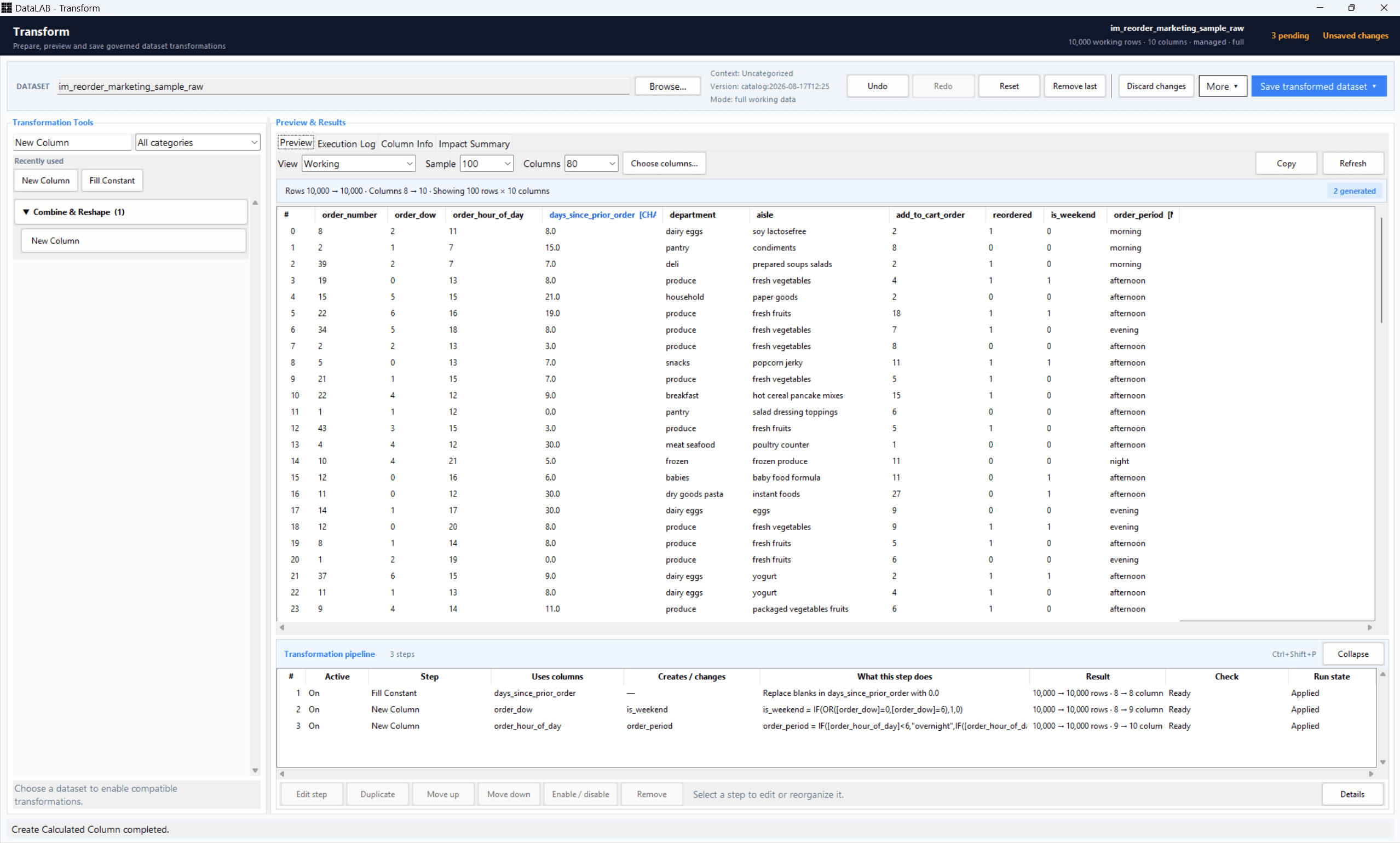
Transformation Studio
Clean, reshape, enrich, map, and validate data through visual operations that build an ordered transformation pipeline.
Applications
Make preparation inspectable and repeatable without coding every step.
ML and AutoML Studio
Train, tune, compare, explain, score, and track models across guided and technical machine-learning workflows.
Applications
Extend analysis into ML without handing data off to a separate notebook stack.
Validation and Exception Review
Apply validation rules to prepared data, review flagged rows, and drive controlled exception workflows off the result.
Applications
Move from population to review-ready output with less spreadsheet stitching.
Pipelines and AI Execution
Combine preparation, queries, validations, models, exports, schedules, and approved AI-client actions in reusable workflows.
Applications
Build the logic once, rerun it on new data, and automate it when ready.
Applications
Keep the tools connected from first question to repeatable result
DataLAB reduces handoffs by keeping data, logic, validation, models, and outputs in one visible desktop workflow.
Step 1
Start with a controlled data foundation
Register source data once, then carry its fields, schema, relationships, context, lineage, and ownership into every downstream task.
Dataset ManagerLake ManagerImport Manager
Workflow impact
Stop rebuilding source context every time the analysis changes.
Step 2
Work in the right mode
Move between SQL, visual transformations, validation rules, and machine learning while the dataset and workflow remain connected.
SQLTransformation StudioValidationML Studio
Workflow impact
Use the best tool for each step without exporting the workflow between apps.
Step 3
Preserve, rerun, and automate
Save working logic as SnapQL or pipelines, rerun it on new data, schedule repeatable work, or expose approved actions to AI clients.
SnapQLPipelinesSchedulerAI Clients
Workflow impact
Turn successful analysis into an operational process, not another one-off result.
Built For The Whole Workflow
Ask it. Analyse it. Automate it.
Prepare the data, investigate it, build the logic, validate the results, automate the process, and preserve the workflow for next time.
Build
Go from raw data to working analysis without leaving DataLAB. Query, transform, validate, model, and combine the tools the workflow needs using code, GUI, or AI.
Validate
Know the result holds up. Check data, logic, exceptions, and outputs while keeping the analytical process visible and reviewable.
Reuse
Don’t solve the same problem twice. Preserve the workflow, rerun it on new data, automate repeatable steps, and keep improving it over time.