Loading…
DataLAB by Snaplytics
The analyst-native data workbench for SQL, SnapQL, ML, and governed AI execution.
DataLAB is first and foremost a mature desktop application for finance teams, auditors, analysts, and data-heavy business units that need to manage datasets, run analysis, automate workflows, and let approved AI clients execute safely.
40+
ML algorithms
80+
Financial tests
AI-ready
Governed tool execution
Lake-aware
Managed dataset workflows
Current productMain workspace
Product Overview Video
Watch DataLAB in action before diving into the details.
A walkthrough of the DataLAB desktop workspace: importing demo data, browsing managed datasets, querying with SQL, opening financial tools, and showing how advanced analytics fits into the same analyst workflow.
Capabilities
What DataLAB covers today
Broad workflow coverage with mature depth on desktop, a growing server-ready workspace story, and AI-client execution built around governed DataLAB tools.
SQL and SnapQL analytics
Query files, lake-backed datasets, and connected data through SQL and SnapQL workflows with joins, CTEs, window functions, pipelines, and practical export paths.
Lake and dataset operations
Manage loaded datasets with metadata, contexts, row counts, column detail, relationships, lazy registration, and persisted analytical storage built into the product flow.
Machine learning
Work with 40+ algorithms, AutoML, hyperparameter tuning, evaluation tools, and experiment tracking from the same environment.
Financial analytics
Run reconciliation, journal testing, anomaly review, and broader finance-focused analytical workflows inside the same platform.
Pipelines and automation
Build repeatable ETL, validation, modeling, and analytical workflows through the pipeline layer rather than recreating every process manually.
AI client execution
Expose approved DataLAB tools to AI clients so assistants can inspect data, run queries, execute pipelines, and leave results visible in the workspace.
Desktop-first delivery
Use the mature desktop product for real production work today, while the web experience continues as an early MVP for evaluation, feedback, and product shaping.
Market Position
Where DataLAB is different
The product is strongest where teams need the operating layer underneath reliable analytics and AI, not another disconnected reporting surface.
A workbench, not just a dashboard
DataLAB is built for the messy middle of analysis: loading, cleaning, validating, querying, modeling, reconciling, exporting, and repeating the workflow.
Governed AI starts with governed tools
AI clients can only be useful in serious teams when they operate through approved tools, visible outputs, and workspace-aware execution.
Right-sized for SMB and mid-market teams
The product gives teams serious data capability without forcing them into a heavyweight platform program before the workflow value is proven.
Inside The Product
Four views into the current platform
A look at workflow depth across the product - not only output, but how DataLAB is actually used day to day.
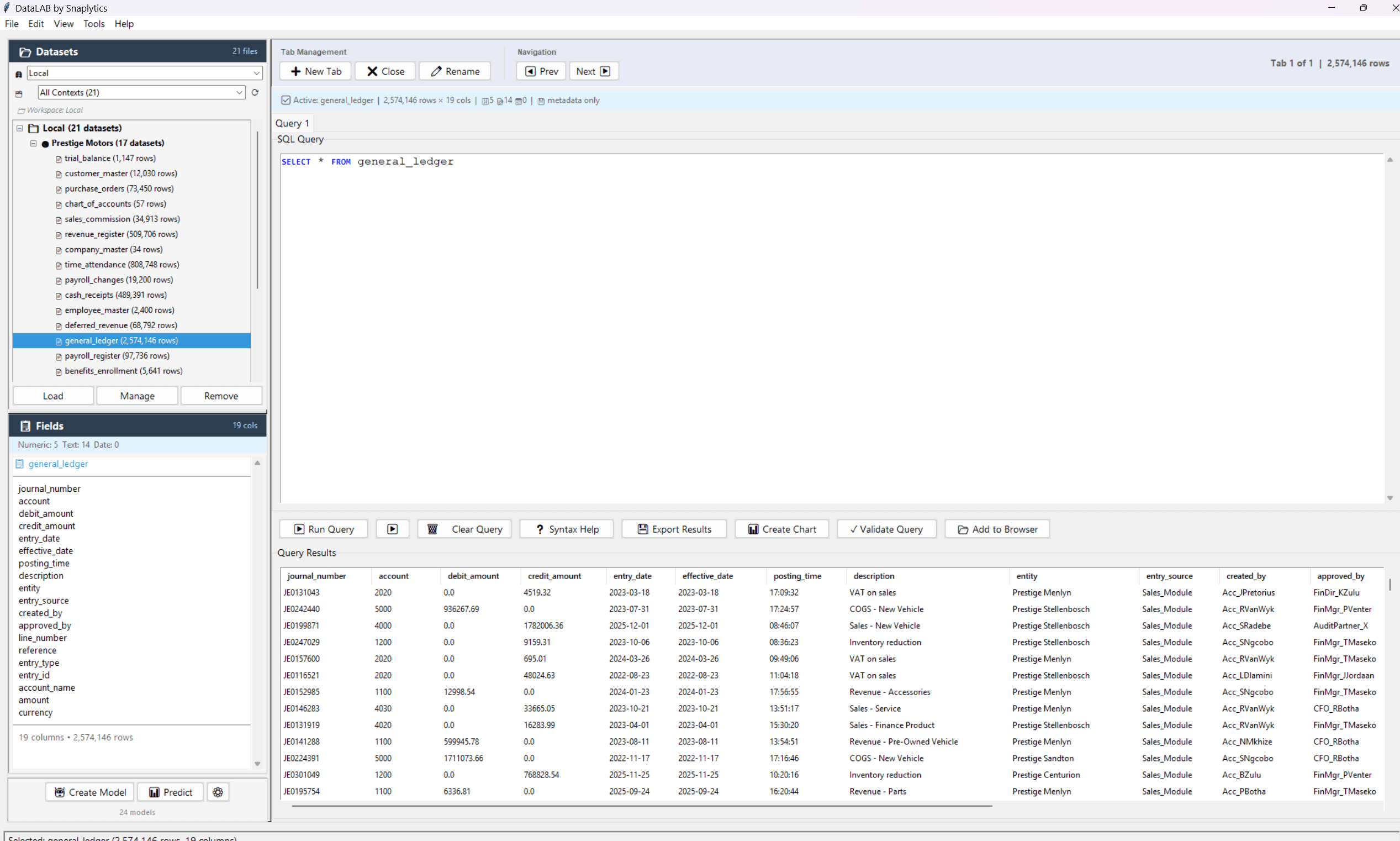
Main workspaceQuery, inspect, and export
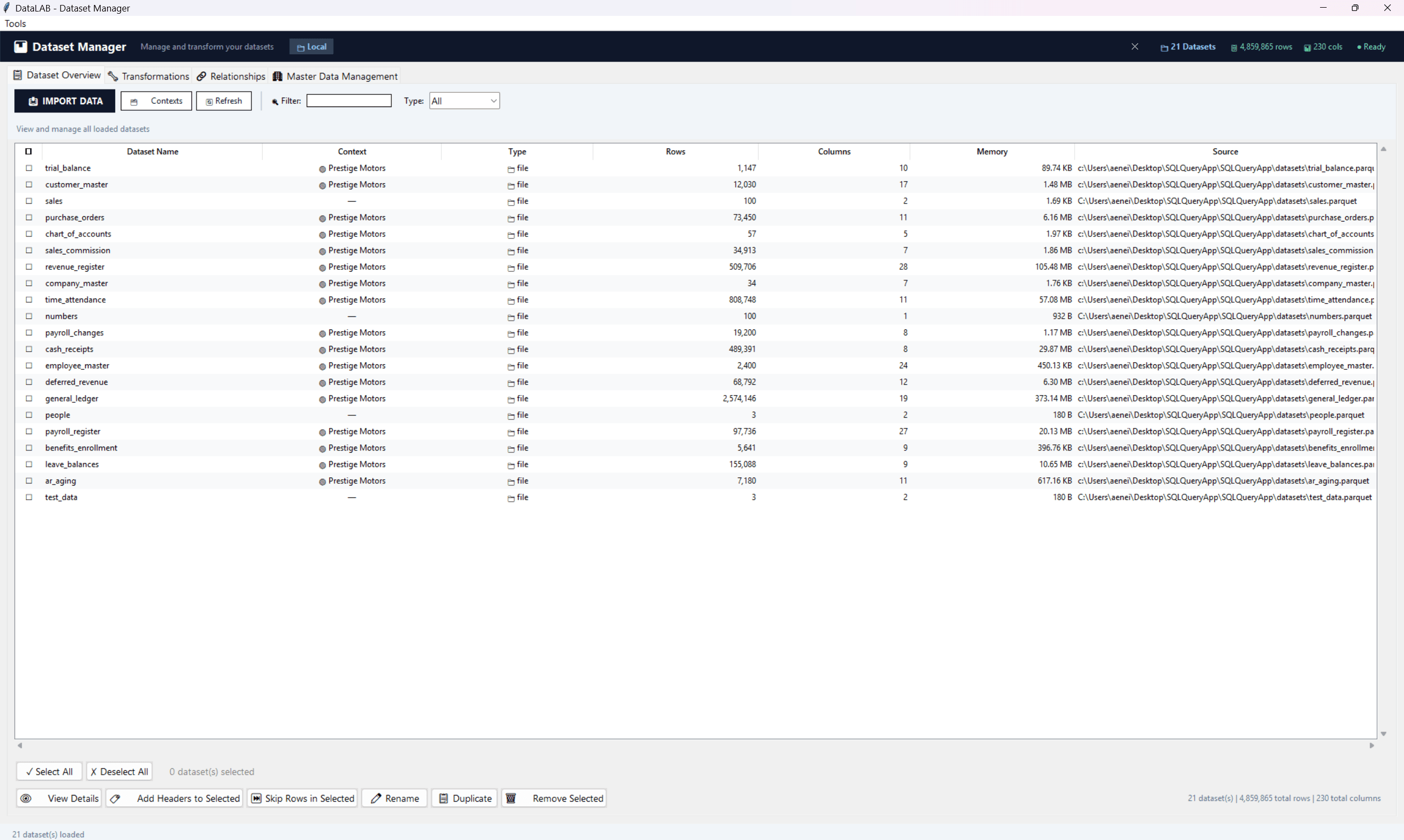
Dataset managerOrganize loaded data
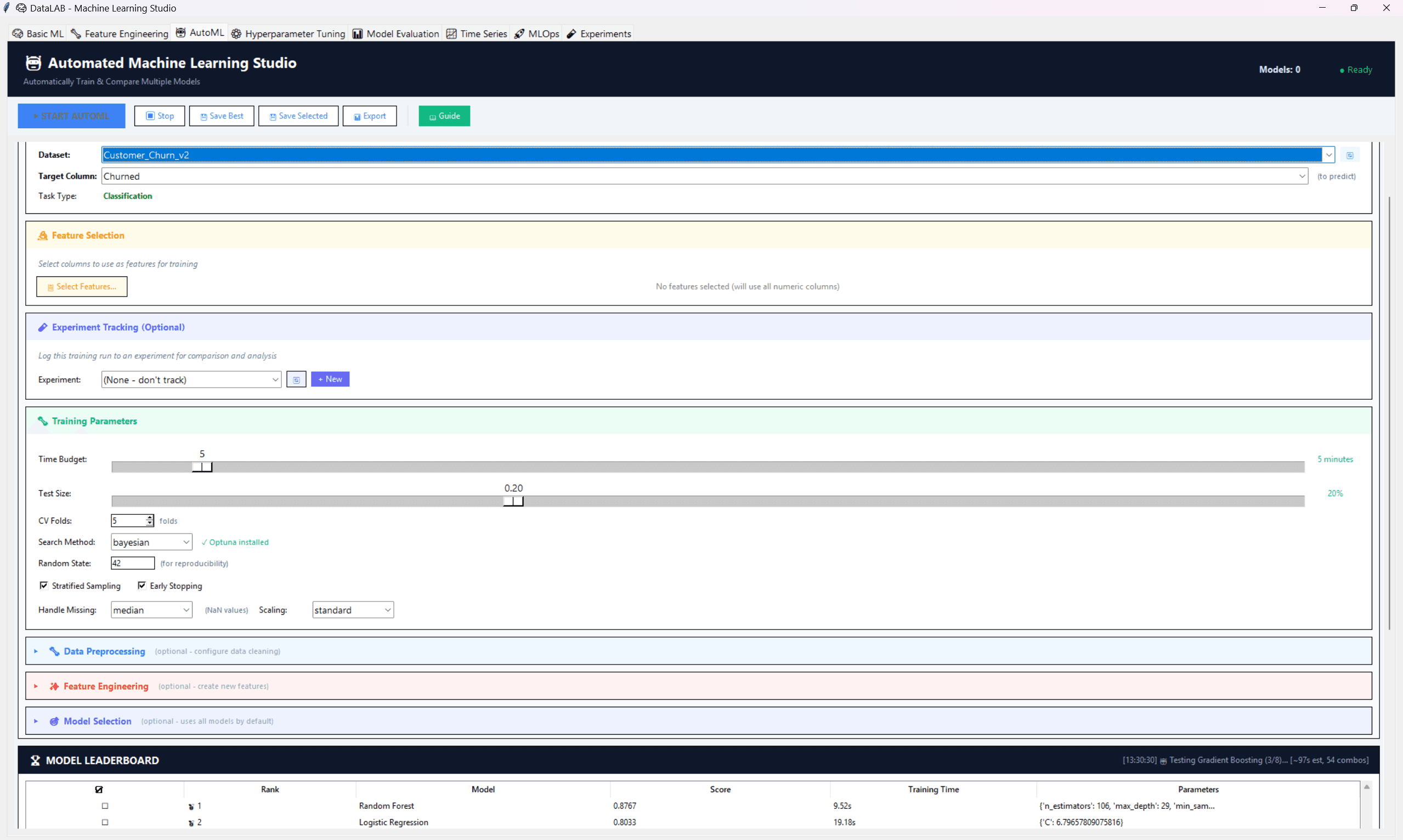
AutoML studioCompare models faster
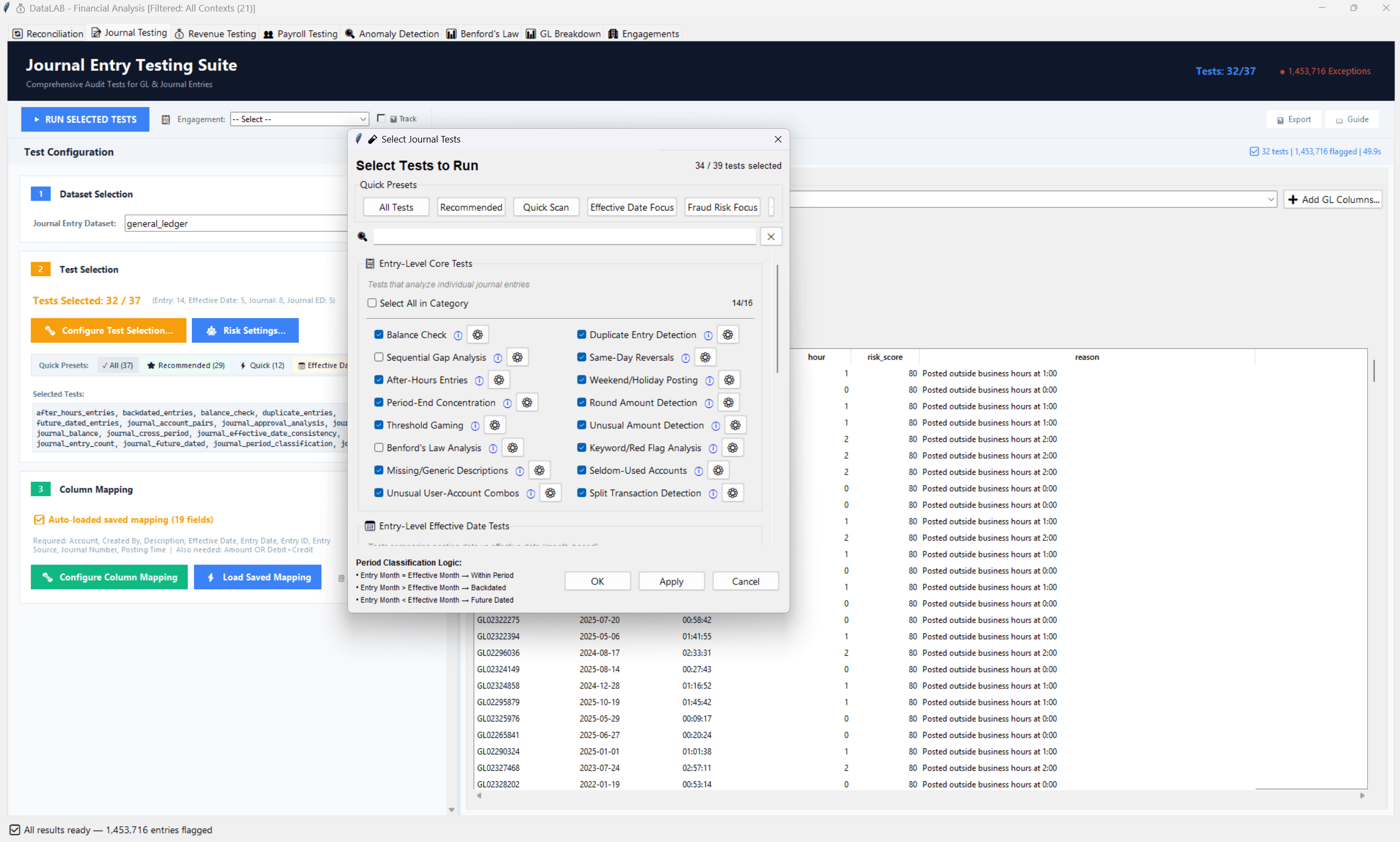
Financial suiteReview risk-heavy financial records
Example Workflows
The product stays close to real analytical tasks
SQL and product workflows are both part of the story. The examples below show how teams move from data work to practical output.
Query operational data quickly
Use SQL to explore business data, aggregate operational records, and move toward export, validation, or further workflow steps.
- Join multiple files or connected datasets
- Work with CTEs, window functions, and aggregations
- Push results toward export or downstream review
analytics.sql
SELECT entity,
    DATE_TRUNC('month', CAST(posting_date AS DATE)) AS month,
    SUM(debit_amount) - SUM(credit_amount) AS net_movement,
    COUNT(*) AS journal_lines
FROM general_ledger
GROUP BY entity, DATE_TRUNC('month', CAST(posting_date AS DATE))
ORDER BY month DESC;
How It Works
Simple architecture, practical output
1
Load data
Files or connected sources
2
Register workspace
Context, lake, metadata
3
Work in DataLAB
Query, test, model, automate
4
AI and outputs
Pipelines, reports, models
Connectors
Connect through files or databases
DataLAB supports a mix of file-based and connected workflows, which is part of why it fits both analytics and finance-heavy teams.
CSV
File
Excel (.xlsx)
File
Parquet
File
JSON
File
SQL Server
Database
PostgreSQL
Database
MySQL
Database
Oracle
Database
SQLite
Database
Want to see whether DataLAB fits your workflow?
The best evaluation is a focused walkthrough around your actual datasets, your team structure, and the process bottlenecks you want to remove.